Google Workspace launches five Gemini features to complete tasks without switching apps

🕒 Published on Zendoric: September 12, 2026 · 13:31
✨ AI-generated · how it's made
Google Workspace announced on September 10, 2026, through a post authored by Jill Daley (Product Manager at Google Workspace), five new agentic artificial intelligence capabilities that allow Gemini to act as an "orchestrator" able to complete complex tasks spanning several…
📚 Go deeper
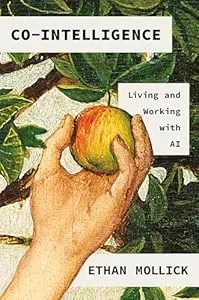
The best starting book if you're not technical: a Wharton professor explains how to work WITH AI — when to delegate, when to supervise, when to keep i
As an Amazon Associate, Zendoric earns from qualifying purchases; the price does not change for you. · all our recommended books →
Google Workspace announced on September 10, 2026, in a post signed by Jill Daley (Product Manager at Google Workspace), five new agentic artificial intelligence capabilities that let Gemini act as an "orchestrator" able to complete complex tasks spanning several applications — Gmail, Drive, Docs, Slides and Chat — without the user having to leave the app they are working in.
The core idea of the announcement is to reduce so-called "tab switching": the habit of constantly jumping between tabs and applications which, as the blog post itself argues, breaks concentration and slows the pace of work. To achieve this, Gemini relies on what Google calls "Workspace Intelligence" and on deeper integrations between apps, which allow it to gather real-time context from relevant files, emails and chat conversations, provided the user selects them or the administrator has enabled them beforehand. With that information, Gemini works in the background to generate, for example, a first draft document in Drive that the user then reviews.
The first of the five capabilities allows a presentation to be created directly from a conversation in Google Chat. The example the company gives is a manager asking for a status update on a product launch: instead of having to manually track down the information and build the deck slide by slide in Slides, the user can open "Ask Gemini" in Chat and, with a simple instruction, ask it to find the most recent project status and assemble the necessary slides. Gemini tracks active projects, Chat conversations, the Gmail inbox and action items, and generates a multi-slide presentation with a direct link to Slides so the user can review and adjust it. The article clarifies that, in this experience, Gemini can ask clarifying questions, and that this feature will soon come to every place in Workspace where presentations can be created.
The second capability makes it possible to build detailed spreadsheets without leaving Google Drive. According to the example given, when reviewing a project's folders in Drive the user may need to centralize costs and material specifications; instead of opening Sheets and copying data manually, they can ask Gemini directly from Drive to analyze the open folder — and other relevant data sources the user specifies, such as material costs or sustainability metrics — and organize everything into a structured spreadsheet, ready for further refinement.
The third feature consists of drafting and sending team emails directly from Google Docs. The use case described is someone who has just updated a sales strategy summary document and needs to send a recap email to their team to gather feedback. Instead of copying text manually and opening Gmail, Gemini uses the document's context to draft an email summarizing the project's milestones "in the user's usual voice", incorporating additional information from other selected sources. The user can review it, add recipients and send it, all without leaving Docs.
The fourth capability turns long email threads into structured documents (briefs). The scenario put forward is an urgent email from a manager or client asking for a project or strategy summary on short notice: instead of manually going through a lengthy thread, the user can ask Gemini, directly from Gmail, to synthesize it. Gmail uses Workspace Intelligence to connect the active thread with related Drive files, emails and chats, and generates a Doc that automatically structures the key details, objectives and next steps, with a link in the side panel so the user does not lose track of the inbox.
The fifth capability turns a proposal written in Docs into a slide presentation with the brand's visual identity. The example is someone who wrote a strategy report in Docs but whose director asks instead for a visual presentation for an executive review. Gemini identifies the key points in the text and organizes them into clean slides, automatically applying the brand's visual style if the team's brand guidelines or a slide template are referenced. The resulting presentation is saved directly to Drive, ready to share.
Beyond these five cases, the post mentions that Gemini also enables "Deep Research" and the management of scheduling, tasks and to-dos within Workspace apps: finding free slots, scheduling meetings, resolving calendar conflicts, logging reminders or creating task lists in Google Tasks. It also notes that these capabilities will soon power the flows built in "Workspace Studio", designed to automate simple tasks within more complex everyday work processes.
On availability, the announcement specifies that these features are already rolling out to customers on the Business Standard, Business Plus, Enterprise Standard and Enterprise Plus plans, as well as to the Google AI Pro and Ultra personal plans and the Google AI Pro for Education plan. Users are invited to open the side panel in the Workspace apps they normally use, or to try "Ask Gemini" in Drive (and soon in Chat) to get started.
Overall, the announcement fits a broader industry trend toward so-called "agentic AI": assistants that do not merely answer questions or generate one-off text, but execute sequences of actions across different tools on the user's behalf, with human oversight at the final review points. The text offers no adoption figures, performance data or comparisons with other solutions on the market, so this summary is limited to describing what Google Workspace's own post details about how these five capabilities work and how far they reach.
📚 Go deeper
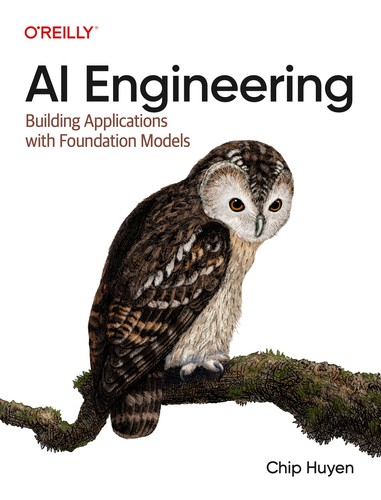
The reference manual for building products on top of AI models: prompts, RAG, fine-tuning, agents, evaluation and deployment.
The definitive piece of investigative journalism on OpenAI: 260+ interviews, the clash between safety and speed, and the attempted firing of Sam Altma
As an Amazon Associate, Zendoric earns from qualifying purchases; the price does not change for you. · all our recommended books →
🔗 Related on Zendoric
- Google brings conversational voice AI to Gmail, Docs and Keep with its 'Live' features · 2026-09-05
- Google launches Gemini 3.8 Flash and 3.8 Flash Cyber, its most powerful models for agentic coding and cyber defense · 2026-09-04
- 'Model fatigue' hits the AI sector: nonstop launches and Nvidia buys Hugging Face for $12.9 billion · 2026-09-09